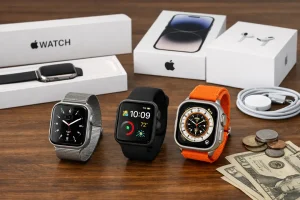
No—Apple Watches are water resistant, not waterproof. That means they’re designed to handle splashes and certain levels of submersion, but they aren’t protected against every water scenario (especially high-velocity water, soaps, or worn seals). Below, you’ll find the most common “People Also Ask” questions answered clearly: model-by-model ratings (from Apple Watch Series 1 to Apple Watch Ultra and later), what activities are typically safe, which bands hold up best in water, how to use Water Lock and eject water / speaker tones, and the care steps that help water resistance last.
Quick answer: Are Apple Watches waterproof?
Apple Watches are water resistant, not waterproof, so they can handle water to specific tested limits but aren’t guaranteed against all water damage. Apple rates different models using standards such as IPX7 and ISO 22810:2010, and those ratings translate to real-world guidance like “okay for swimming” vs “avoid water sports with impact.”
- Water resistance is not permanent: seals can wear down from drops, age, heat, chemicals, and servicing.
- Not all water is equal: salt water, soap, and chlorinated pools can be harsher than fresh water.
- Depth isn’t the only risk: high-velocity water (jet skis, water skiing, strong jets) can force water past water seals.
- Use the right features: Water Lock and speaker tones help manage water after exposure.
Model-by-model: What each Apple Watch is rated for (Series 1 → Ultra)
Apple Watch water-resistance depends heavily on the model, and the safe activities change with the rating. The key dividing line is Apple Watch Series 2 and later, which are rated for swimming, versus older models that are mainly for splashes.
- Apple Watch (1st generation): IPX7 (IEC 60529). Designed for splashes; not recommended for swimming.
- Apple Watch Series 1: IPX7 (IEC 60529). Similar splash resistance; avoid submersion.
- Apple Watch Series 2, Series 3, Series 4, Series 5, Series 6, Series 7, Series 8, Series 9, Series 10, SE (1st/2nd gen): water resistant to 50 meters under ISO 22810:2010.
- Apple Watch Ultra and later: water resistant to 100 meters under ISO 22810:2010 and EN13319-compliant for diving accessories.
- Apple Watch Series 7 and later: also IP6X dust resistance (helpful for sand and fine dust, but it’s separate from water protection).
Tip: If you’re unsure which model you have, check the engraving on the back or the Watch app on iPhone. If you’re already troubleshooting odd behavior, you may also want to review how to do a clean reset sequence for Apple Watch after drying it thoroughly.
What can I do with my Apple Watch in water—shower, swim, or dive?
Most Apple Watch Series 2 and later models are suitable for pool swimming and shallow-water activities, but showers, soaps, and high-impact water sports are still risky. The “50 meters” or “100 meters” rating isn’t a promise that every water situation is safe—it reflects test conditions and assumes water seals are intact.
| Activity | Series 1 / 1st gen (IPX7) | Series 2 and later (50 meters) | Ultra and later (100 meters) |
|---|---|---|---|
| Handwashing / rain / splashes | Generally OK | OK | OK |
| Showering (soap/shampoo exposure) | Avoid | Not recommended | Not recommended |
| Pool swimming | Avoid | Generally OK | OK |
| Ocean swimming (salt water) | Avoid | OK with rinse after | OK with rinse after |
| High-velocity water (jet ski, water skiing) | Avoid | Avoid | Avoid / use caution |
| Recreational scuba diving | No | No | Yes, up to 130 feet (40 meters) |
- Soap is a common culprit: it can degrade water seals and affect the acoustic membrane over time.
- Hot water and steam: can stress adhesives and seals more than cool fresh water.
- After ocean swims: rinse with fresh water to reduce salt buildup around the Digital Crown and speaker.
Can I go scuba diving with an Apple Watch Ultra?
Yes—Apple Watch Ultra and later support recreational scuba diving up to 130 feet (40 meters). Ultra models are rated water resistant to 100 meters under ISO 22810:2010 and are EN13319-compliant, a standard often referenced for diving accessories (covering requirements like depth measurement performance).
- Stay within recreational limits: the commonly stated limit is 40 meters / 130 feet.
- Inspect before you dive: check the case and screen for chips or cracks that can compromise water seals.
- Avoid high-velocity water even with Ultra: impact and pressure spikes (like tow sports) can still be a problem.
- Rinse after salt water: a quick fresh-water rinse reduces corrosion risk around openings and the speaker area.
If you’re pairing or switching devices before a trip, keep a checklist handy—many diving mishaps start with simple setup mistakes. It can help to review steps for unpairing and re-pairing your Apple Watch cleanly so settings and apps behave as expected.
Does “50 meters” mean I can swim down to 50 meters with my Apple Watch?
No—“50 meters” is a water-resistance rating under ISO 22810:2010, not a promise that the watch is safe at a 50-meter swimming depth. In practice, Apple positions Apple Watch Series 2 and later (rated to 50 meters) for shallow-water activities like pool swimming, not diving or prolonged deep submersion.
- Ratings are lab-based: they’re tested under controlled conditions, not real-life motion and temperature changes.
- Movement matters: strokes, flips, and impacts can increase pressure on seals beyond static depth.
- Water type matters: salt water and chlorinated water can be more aggressive than fresh water.
- Condition matters: water resistance can diminish after a drop or after years of wear.
Tip: If you want a watch primarily for frequent open-water sessions, Ultra’s 100 meters rating plus its more dive-oriented design gives more margin—just don’t treat it as unlimited protection.
Which Apple Watch models are safe for swimming?
Apple Watch Series 2 and later are generally considered safe for swimming because they’re rated water resistant to 50 meters under ISO 22810:2010. That includes Series 2, Series 3, and newer mainstream models like Apple Watch Series 7, plus SE models. Apple Watch Series 1 and the Apple Watch (1st generation) use IPX7 and aren’t recommended for swimming.
- Pool swimming: typically fine on Series 2 and later; enable Water Lock before you get in.
- Ocean swimming: typically fine on Series 2 and later, but rinse well afterward due to salt water.
- Avoid impact sports: even swim-safe models can be vulnerable to high-velocity water or board-sport wipeouts.
- Check for damage first: even a small crack can compromise sealing.
Example: If you swim laps a few times a week, use Water Lock every session and rinse the watch under gentle fresh water afterward—two small habits that reduce speaker crackle and salt/chlorine buildup.
Bands and water: Which straps are safe for water use?
Sport-oriented bands (fluoroelastomer Sport Band, Sport Loop, Ocean Band on Ultra) are the safest choices in water, while leather and some metal bands are better kept dry. The watch case may be water resistant, but the band material can trap moisture, irritate skin, or degrade faster with repeated submersion.
- Best for water: Sport Band (fluoroelastomer), Solo Loop, Sport Loop (dries slower but tolerates water), Ocean Band (Ultra).
- Use caution: stainless steel link bands can handle water but may feel slippery and need thorough drying to avoid skin irritation.
- Avoid submersion: leather bands, modern buckle/leather link styles—water can stain, warp, and weaken them.
- Rinse and dry: after salt water or chlorine, rinse the band and dry it to protect your skin and reduce odor.
Tip: If you rotate bands, keep a dedicated “swim band” so your everyday strap doesn’t stay damp for hours after a workout.
How do I use Water Lock, and how do I eject water from the speaker?
Water Lock disables the touchscreen to prevent accidental taps, and when you turn it off the watch plays eject water / speaker tones to push water out. It doesn’t “seal” the watch, but it helps manage usability and clears water from the speaker cavity after swimming or rinsing.
Turn on Water Lock
- Open Control Center on your Apple Watch (press the side button on newer watchOS versions; on older versions, swipe up).
- Tap the Water Lock icon (water droplet).
- Confirm the droplet icon appears—touch input is now limited.
Eject water / clear the speaker
- Press and hold the Digital Crown to turn off Water Lock.
- Stay still while the watch plays speaker tones (the “eject water” sequence).
- Wipe the case with a lint-free cloth, then let it air-dry.
Tip: If audio sounds muffled afterward, run the eject sequence again and gently rinse the speaker area with fresh water (no high pressure), then repeat the tones.
What should I do if my Apple Watch got wet?
If your Apple Watch gets wet, rinse (when appropriate), eject water from the speaker, dry it thoroughly, and avoid heat or compressed air. The goal is to remove salt/chlorine and prevent moisture from lingering near openings and the acoustic membrane.
- After salt water or chlorinated pools: rinse the watch and band with gentle fresh water.
- Run Water Lock off: use the Digital Crown to trigger eject water / speaker tones.
- Dry correctly: wipe with a soft lint-free cloth; let it air-dry before charging.
- Avoid: hair dryers, radiators, compressed air, or stuffing ports with cotton swabs.
- Wait to charge: if you suspect moisture near the charging area, give it time to dry to reduce corrosion risk.
Example: After an ocean swim, a 10-second rinse under gentle tap water plus the speaker tones prevents “crackly” playback more effectively than just towel-drying.
Why can water resistance fail over time?
Water resistance can fail because seals, adhesives, and protective membranes naturally degrade—and a single drop or crack can compromise water seals immediately. Even if your Apple Watch worked fine in water last summer, it may not perform the same way today.
- Physical damage: cracks, chips, or case separation can create a path for water ingress.
- Chemicals: soap, shampoo, sunscreen, and cleaning products can weaken sealing materials.
- Heat and steam: hot showers, saunas, and steam rooms can stress adhesives and gaskets.
- High-velocity water: pressure spikes can push water past seals even at shallow depth.
- Servicing/repairs: screen replacements or third-party repairs can affect sealing if not done to spec.
Practical tip: If you’re seeing frequent fogging under the glass or persistent speaker muffling, treat it as a warning sign and keep the watch out of water until it’s checked.
Will Apple fix water damage, and can it void coverage?
Apple’s stance is that water resistance isn’t permanent, and water damage may not be covered under standard warranty depending on the circumstances. Because water resistance can diminish, Apple generally treats liquid damage as something that can happen outside intended conditions, especially if there’s physical damage or evidence of exposure beyond recommended use.
- Expect inspection: Apple (or an authorized service provider) typically checks for damage and liquid indicators.
- Accidents vs. defects: a manufacturing defect may be handled differently than damage from drops or harsh exposure.
- Document what happened: noting the activity (pool swim vs. shower vs. water sports) can help explain the scenario.
- Don’t keep “testing” it: repeated submersion after suspected damage can worsen internal corrosion.
If the watch becomes unstable after getting wet (random reboots, touch issues), it can be useful to dry it fully and then perform a careful troubleshooting workflow similar to other watchOS issues. Staying current on broader consumer tech trends also helps, since features and durability expectations shift with each generation.
Related questions
Is Apple Watch Series 7 water resistant and dust resistant?
Yes—Apple Watch Series 7 is water resistant to 50 meters (ISO 22810:2010) and is IP6X dust resistant. IP6X helps with dust and sand exposure, but it doesn’t change the guidance on soaps, high-velocity water, or worn seals.
Is IPX7 the same as being swim-safe?
No—IPX7 (used by Apple Watch Series 1 and Apple Watch 1st generation) indicates limited water resistance, but it’s not the same as a swim rating. Those models are better treated as splash-resistant and not intended for regular submersion workouts.
Can I wear my Apple Watch in the shower?
It’s not recommended because soap, hot water, and steam can degrade water seals and leave residue around openings. If you do shower with it occasionally, rinse with fresh water afterward and use the eject water / speaker tones once you’re done.
Wrap-up
Apple Watches are water resistant, not waterproof, and the right expectations come down to your model’s rating and how you use it. Series 2 and later are rated to 50 meters (ISO 22810:2010) for swim-friendly use, while Apple Watch Ultra and later reach 100 meters and support recreational scuba diving to 130 feet (40 meters) with EN13319 compliance. For more help, check Apple’s support pages and consider model-specific setup guides on The Products Zone, including reset and pairing basics.