Apple Watches currently cost from $249 (Apple Watch SE 3) up to about $950+ (Apple Watch Hermès Ultra 3), with most buyers landing between $399–$700 for the mainline models. This FAQ breaks down the latest starting prices for each model, what drives the cost (GPS + Cellular, case materials, bands), and the simplest ways to pay less through trade‑in, Certified Refurbished units, and monthly payments.
- Apple Watch SE 3: from $249
- Apple Watch Series 11: from $399
- Apple Watch Ultra 3: from $700
- Apple Watch Hermès Series 11: from $900
- Apple Watch Hermès Ultra 3: from $950
| Model | Starting price* | Who it’s for |
|---|---|---|
| Apple Watch SE 3 | $249 | Budget smart watch basics |
| Apple Watch Series 11 | $399 | Mainstream health + daily use |
| Apple Watch Ultra 3 | $700 | Rugged build + longer battery focus |
| Apple Watch Hermès Series 11 | $900 | Luxury styling + exclusive bands |
| Apple Watch Hermès Ultra 3 | $950 | Ultra design with Hermès branding |
*Starting prices are based on Apple Store listings and typically refer to the GPS version with a base case size and standard band; options like GPS + Cellular and premium materials increase the total.
How much do Apple Watches cost right now?
Apple Watches range from $249 to $950+ before taxes, depending on the model and whether you choose GPS or GPS + Cellular. Apple positions the SE line as the entry point, Series as the mainstream upgrade, and Ultra as the premium rugged option, while Hermès editions add luxury branding and bands at a higher starting price.
- Lowest entry price: Apple Watch SE 3 from $249
- Most common starting point: Apple Watch Series 11 from $399
- Premium “outdoors” tier: Apple Watch Ultra 3 from $700
- Luxury tier: Hermès models from $900–$950
Tip: If you’re comparing two carts that look similar but prices are far apart, check for GPS + Cellular, case material, and band choice first—those are the most common “silent” price jumps.
Apple Watch price comparison: Series 11 vs SE 3 vs Ultra 3 (and Hermès)
The fastest way to choose is to match your budget to the experience you want: SE 3 covers core smartwatch features, Series 11 adds the broader health and convenience set, and Ultra 3 targets durability and battery priorities, while Hermès is primarily about materials and styling. All of them run Apple’s software experience, including support for watchOS 26 (with compatible iPhone), but the hardware differences affect value over time.
| Model | Starts at | Value angle | Best quick advice |
|---|---|---|---|
| Apple Watch SE 3 | $249 | Lowest cost for Apple Watch essentials | Buy this if you mainly want notifications, activity rings, and safety basics. |
| Apple Watch Series 11 | $399 | Best balance of price + health features | Choose Series if you care about advanced health tracking and convenience upgrades. |
| Apple Watch Ultra 3 | $700 | Premium build + battery priorities | Go Ultra if you want a tougher case and longer days between charges. |
| Apple Watch Hermès Series 11 | $900 | Luxury materials + exclusive bands | Buy for the look and band ecosystem—feature value is secondary. |
| Apple Watch Hermès Ultra 3 | $950 | Ultra styling with Hermès branding | Choose only if you specifically want Hermès design on the Ultra platform. |
What changes the price the most?
- GPS + Cellular: usually the biggest upgrade cost; may also add a carrier watch plan monthly.
- Case size/material: larger sizes and premium materials raise the total.
- Bands: specialty bands can add a surprising amount versus a standard sport band.
Ways to pay less: trade‑in, refurbished, and financing
You can often cut the effective cost by stacking the right purchase route—trade‑in credit, Certified Refurbished inventory, and 0% financing—rather than only hunting a one‑time sale. Apple Watch pricing is predictable: new models hold value, while older models and refurbs provide the easiest savings without changing your daily experience much.
- Trade‑in: Apply credit from an older Apple Watch (or sometimes other eligible devices) toward a new purchase. Actionable advice: erase/unpair first so you don’t lose time at checkout; if you need help, see the steps for unpairing your watch from your iPhone.
- Certified Refurbished: Typically the best “safe” discount option because devices are inspected and sold with warranty coverage. Actionable advice: prioritize refurbished if you want a lower price but still want official support.
- Carrier deals (Cellular models): Promotions can lower upfront price but may require bill credits and a service plan. Actionable advice: check the total cost over 24–36 months, not just the $0-down headline.
- Seasonal discounts: Retailers often discount older generations when Apple refreshes the lineup. Actionable advice: compare specs, not just “new vs old.”
Note: “Refurbished” from third‑party sellers can be fine, but the quality bar and warranty vary—confirm battery health/return window.
Buying options & payment plans: Apple Card Monthly Installments (ACMI) and 0% APR
If you prefer predictable costs, Apple Card Monthly Installments (ACMI) can split an Apple Watch into monthly payments—often advertised at 0% APR—which keeps the upfront hit smaller. The key is to separate “monthly payments” for the watch itself from any extra recurring costs, like a cellular plan for a GPS + Cellular model or optional services such as Apple Fitness+.
- How monthly payments help: spreads cost across the term so you can budget.
- What to watch for: taxes may be due upfront; carrier plans are separate; missing payments can change your effective cost.
| Model | Starting price | Example monthly cost (24 months)** |
|---|---|---|
| Apple Watch SE 3 | $249 | About $10.38/mo |
| Apple Watch Series 11 | $399 | About $16.63/mo |
| Apple Watch Ultra 3 | $700 | About $29.17/mo |
**Illustrative math: price ÷ 24, excluding taxes, bands, AppleCare+, and any carrier plan.
Compatibility & requirements: which iPhone and iOS do you need?
You need a compatible iPhone to set up and use an Apple Watch, and the newest watches typically require a relatively recent iPhone model and iOS version to support features and updates like watchOS 26. Even if the watch turns on, an older iPhone may prevent pairing, limit features, or block software updates—which can matter for security and app support.
- iPhone requirement: Apple Watch requires an iPhone for setup and ongoing management.
- Software requirement: iPhone iOS version must meet the watch’s pairing requirement; watchOS updates often track iOS updates closely.
- Cellular requirement: GPS + Cellular models can use a carrier plan for calls/texts without the phone nearby, but setup still starts on iPhone.
Tip: If you’re buying a watch for a family member, confirm their iPhone model and iOS version first; it prevents the most common “why won’t it pair?” problem. If pairing gets stuck after a reset, you may need to fully reset and try again—these steps for resetting an Apple Watch are worth bookmarking.
Key health and battery features that affect value
The “right” Apple Watch isn’t just about sticker price—health sensors, battery life, and charging speed can change what feels worth it day to day. If you know which features you’ll actually use (and which you won’t), you can avoid overpaying for specs that won’t matter to you.
- ECG app: useful if you want on‑wrist electrocardiogram readings; check regional availability and eligibility.
- Blood Oxygen app: can be valuable for trends and context, though it’s not a substitute for medical devices; availability can vary by region/model.
- Irregular Rhythm Notification: passive alerts can be a practical reason to move beyond the SE tier for some buyers.
- temperature sensing: relevant for cycle tracking and trend insights rather than one‑off “instant” readings.
- Emergency SOS: important safety feature; consider it a baseline requirement if buying for kids, older adults, or runners.
- Battery life + fast charging: if you hate daily charging, prioritize models known for longer runtime; if you’re busy, fast charging can matter as much as total life.
Example: If you plan to sleep‑track, you’ll often top up in the morning—so faster charging can feel like a bigger upgrade than a slightly larger case.
Do I need GPS + Cellular, or is GPS enough?
You only need GPS + Cellular if you want your Apple Watch to call, text, and stream without your iPhone nearby. The GPS model is usually the best value because it does almost everything when your iPhone is with you or when you’re on known Wi‑Fi, and it avoids the added monthly carrier plan cost.
- Choose GPS if you carry your iPhone most of the time (commuting, office, errands).
- Choose GPS + Cellular if you run, hike, or do quick trips phone‑free and want calls/texts anyway.
- Budget reminder: cellular adds (1) a higher watch price and (2) a carrier plan monthly.
Tip: If you mainly want phone‑free music during workouts, compare costs: some people prefer downloading playlists to the watch for offline playback and using AirPods, rather than paying for an always‑on cellular plan.
Is AppleCare+ worth it for an Apple Watch?
AppleCare+ is worth it if you’re buying a higher-priced model or you’re hard on wearables, because accidental damage risk is the main hidden cost of ownership. Apple Watches take hits—door frames, gym equipment, drops onto tile—and repairs without coverage can erase the savings you got from a sale.
- Best candidates: Ultra buyers, outdoor users, and anyone who regularly cracks phone screens.
- Less essential: careful users buying SE 3 who would rather self-insure.
- How to decide: compare the AppleCare+ cost against your tolerance for paying a large unexpected repair bill.
Practical advice: If you skip AppleCare+, at least budget for a quality case or screen protector—especially if you’re choosing a larger case size that’s more likely to make contact with doorways.
Are Hermès Apple Watches actually different, or just more expensive?
Hermès Apple Watches are primarily different in materials, exclusive bands, and branding, not core smartwatch capability. You’re paying for the design and the band/case pairing, so the value depends on whether you would otherwise buy premium bands and want the Hermès aesthetic as part of your daily wardrobe.
- Starting prices: Hermès Series 11 from $900; Hermès Ultra 3 from $950.
- What you’re really buying: the look, the band, and the edition identity.
- What doesn’t change: core Apple Watch experience, app ecosystem, and overall use cases.
Tip: If you love the style but not the price, compare the cost of a standard Series 11 plus a premium third‑party band—you may get 80–90% of the look for less.
What’s the cheapest way to get an Apple Watch?
The cheapest reliable route is usually an Apple Watch SE 3 at $249, or a Certified Refurbished unit if you want Series features for less. Buying used from marketplaces can be cheaper, but it increases risk around battery health, activation lock, and return policies—those costs show up later when the watch won’t pair or dies early.
- Best low-risk budget pick: Apple Watch SE 3 (new) from $249.
- Best “smart savings” pick: Certified Refurbished Series model (when available).
- Used-market checklist: verify Activation Lock is removed, check battery health, confirm charger/band included.
Tip: If you’re comparing sellers, prioritize clear returns over a slightly lower price—especially for wearables where battery condition matters.
Do Apple Watches go on sale, and when is the best time to buy?
Yes, Apple Watches go on sale most often around major retail events and right after Apple announces new models, when retailers discount remaining inventory. The “best time” depends on whether you want the newest model immediately (pay closer to full price) or you’re comfortable buying slightly older stock for less.
- Common discount windows: holiday sales, back‑to‑school promos, and post‑launch clearance.
- What discounts target: older case sizes/colors and GPS models more than the newest cellular configurations.
- How to avoid overpaying: decide your must‑have features first (ECG app, battery life, fast charging), then shop price.
Quick check: If you’re mainly buying for safety features like Emergency SOS and basic fitness rings, the SE 3 often makes more sense than waiting for a small discount on a higher tier.
Can I use Apple Watch without an iPhone?
You generally can’t fully use an Apple Watch without an iPhone because setup, updates, and many management features require an iPhone. A GPS + Cellular model can reduce how often you need the phone nearby day-to-day, but it doesn’t remove the initial iPhone requirement for pairing and ongoing software compatibility.
- Setup: requires iPhone pairing to activate and configure.
- Updates: watchOS updates (including watchOS 26) are managed through iPhone.
- Day-to-day independence: cellular can handle calls/texts/streaming when you’re away from the phone.
Tip: If you’re buying for someone who doesn’t use an iPhone, consider whether they’d be happier with a different smartwatch ecosystem rather than forcing a workaround.
What should I budget for beyond the watch price?
You should budget for at least one “ownership cost” beyond the watch itself—most commonly a cellular plan (if you choose GPS + Cellular), AppleCare+, and accessories like extra bands. Subscriptions are optional, but they can improve the experience if you’ll truly use them.
- Monthly payments: device financing through Apple Card Monthly Installments (ACMI) can lower upfront cost (often promoted at 0% APR).
- Carrier plan: only for cellular models; check your carrier’s watch add-on pricing.
- Services: Apple Fitness+ for guided workouts; Apple Music for streaming; pairing with AirPods is a popular combo for training.
- Accessories: extra bands and a fast charger can improve daily convenience.
Practical example: A $399 Series 11 might look affordable on monthly payments, but adding a cellular plan and AppleCare+ can change your true monthly spend—total it before you commit.
Frequently asked pricing questions
Are Apple Watches waterproof?
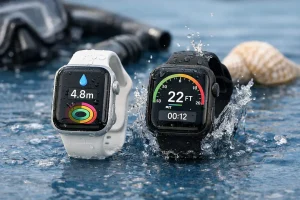
Apple Watches are water-resistant, but the exact rating and recommended use depends on the model and activity. If swimming, showering, or water sports matter to you, confirm the rating for the specific model you’re buying and review practical guidance on water resistance and real-world use so you don’t accidentally exceed what it’s designed for.
Will an older Apple Watch feel slow after updates?
Older models can feel slower over time, especially as apps get heavier and newer watchOS features target newer hardware. If you want the longest “feels new” window, buying closer to the current generation (Series 11 or Ultra 3) usually pays off, even if the upfront price is higher.
Do bands affect the total cost more than people expect?
Yes, band choice can noticeably change the checkout price even when the watch case is the same. If you’re trying to stay on budget, start with a standard band and add upgrades later—bands are the easiest part to change without upgrading the whole watch.
Related questions (quick answers)
Can I switch from GPS to GPS + Cellular later? No—GPS vs GPS + Cellular is a hardware choice, so you’d need a different watch model to add cellular later. You can, however, buy a cellular watch and choose not to activate a plan until you need it.
Is refurbished the same as used? Not usually—Certified Refurbished typically implies inspection/testing and warranty support, while “used” depends entirely on the seller. If you want lower cost with lower risk, certified refurb is the safer bet.
Do I need Apple Fitness+ to track workouts? No—the built-in Workout app tracks runs, walks, and gym sessions without Apple Fitness+. Fitness+ is more about guided classes and integration, not basic tracking.
Wrap-up
Apple Watches span a wide price range—$249 to $950+—with the Apple Watch SE 3, Apple Watch Series 11, Apple Watch Ultra 3, and Hermès editions covering different budgets and priorities. Decide first on GPS vs GPS + Cellular, then compare health features, battery life, and charging convenience to find the best value. For more help, check Apple’s official listings, carrier plan details, and watchOS 26 compatibility requirements before you buy.
Footnotes: Feature availability (ECG app, Blood Oxygen app, Irregular Rhythm Notification) can vary by region, age eligibility, and software version; always verify in your country before purchase.